 Piclash
Make YouTube thumbnails that stand out, free
Make 1280×720 YouTube thumbnails with glowing, warped text, background-free cut-outs and punchy photo edits. Free in your browser, no watermark, PNG or JPG.
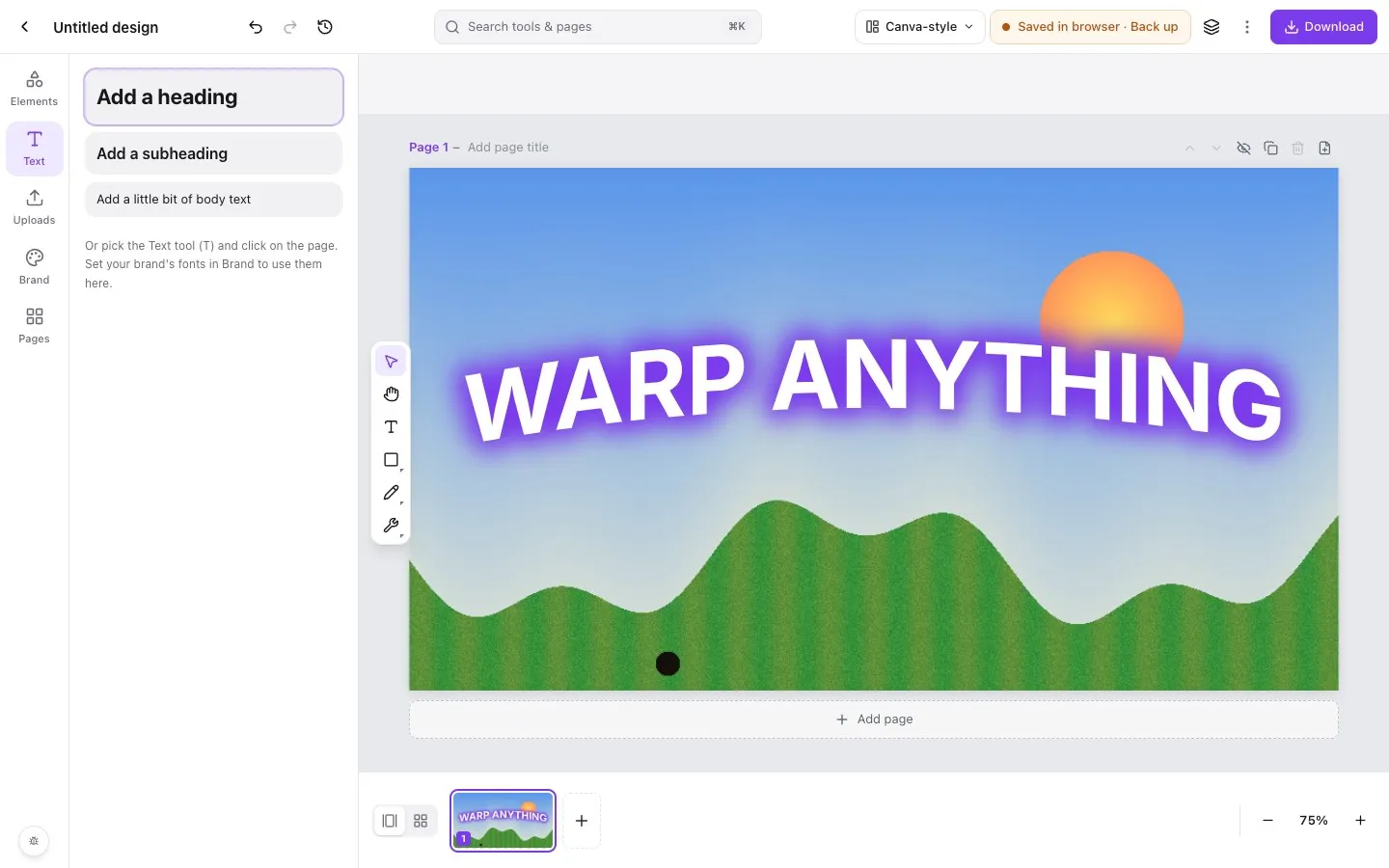
Step by step in Piclash
- 1Start a YouTube thumbnailOn Piclash's home screen, choose YouTube thumbnail (1280 × 720) under Start something new.
- 2Add your photo and cut yourself outDrop in a photo, then Edit photo → Remove background to cut out the subject. It runs on your device and it's free.
- 3Add a big headlineText → Add a heading. In Effects, add a glow or a thick outline so it reads at small sizes, and use Warp text for an arc or a wave.
- 4Make the photo popEdit photo → quick adjust for brightness and saturation, or Curves for more control. Add a shadow or outer glow to the cut-out to lift it off the background.
- 5DownloadDownload as PNG or JPG (YouTube accepts both, up to 2 MB). Save a .design file too, so next week's thumbnail is a quick edit.
Thumbnails decide whether people click. The ones that work share a few traits: a face or subject cut out cleanly, big, high-contrast text that reads on a phone, and a bit of glow or depth that makes everything pop. Piclash gives you all of it without a subscription.
The effects thumbnail designers use
- Glow and outline on text, sized for small screens.
- Warped text: an arc, a wave or a flag-style bend for energy.
- Cut-outs with a stroke or outer glow around the subject.
- Punchy colour from saturation, curves and vibrance.
- Drop shadows for depth between layers.
Keep a series consistent
Set your channel’s fonts and colours in Brand, then use Apply brand to restyle a design in one go. Keep a season’s thumbnails as pages of one design and see them all side by side in the grid view.
Questions
What size should a YouTube thumbnail be?
1280 × 720 pixels (16:9). Piclash's YouTube thumbnail preset uses exactly that.
Is there a watermark?
No. Downloads are free and full quality.
Can I reuse a thumbnail as a template?
Yes. Duplicate the design from the home screen and change the photo and text, or keep several thumbnails as pages of one design and duplicate a page.
Try it on your own design
Free, nothing to install, and your work stays on your device.
Related
- Warp and curve text online, freeCurve text, or warp it with arc, wave, flag, bulge and mesh, and it stays editable.
- Remove an image background online, freeOne click, runs on your own device, unlimited, and downloads as a transparent PNG.
- Curves, levels and HSL online, freeTone curves, levels with a histogram, HSL, LUT looks and adjustment layers.
- Download your design in the format you needPNG, JPG, PDF, SVG and editable PowerPoint, for any choice of pages, with no watermark.