 Piclash
A free online photo editor with layers, masks and blend modes
Edit photos with layers, masks, adjustment layers, blend modes and layer styles in your browser. No install, no account, no watermark, and big photos work.
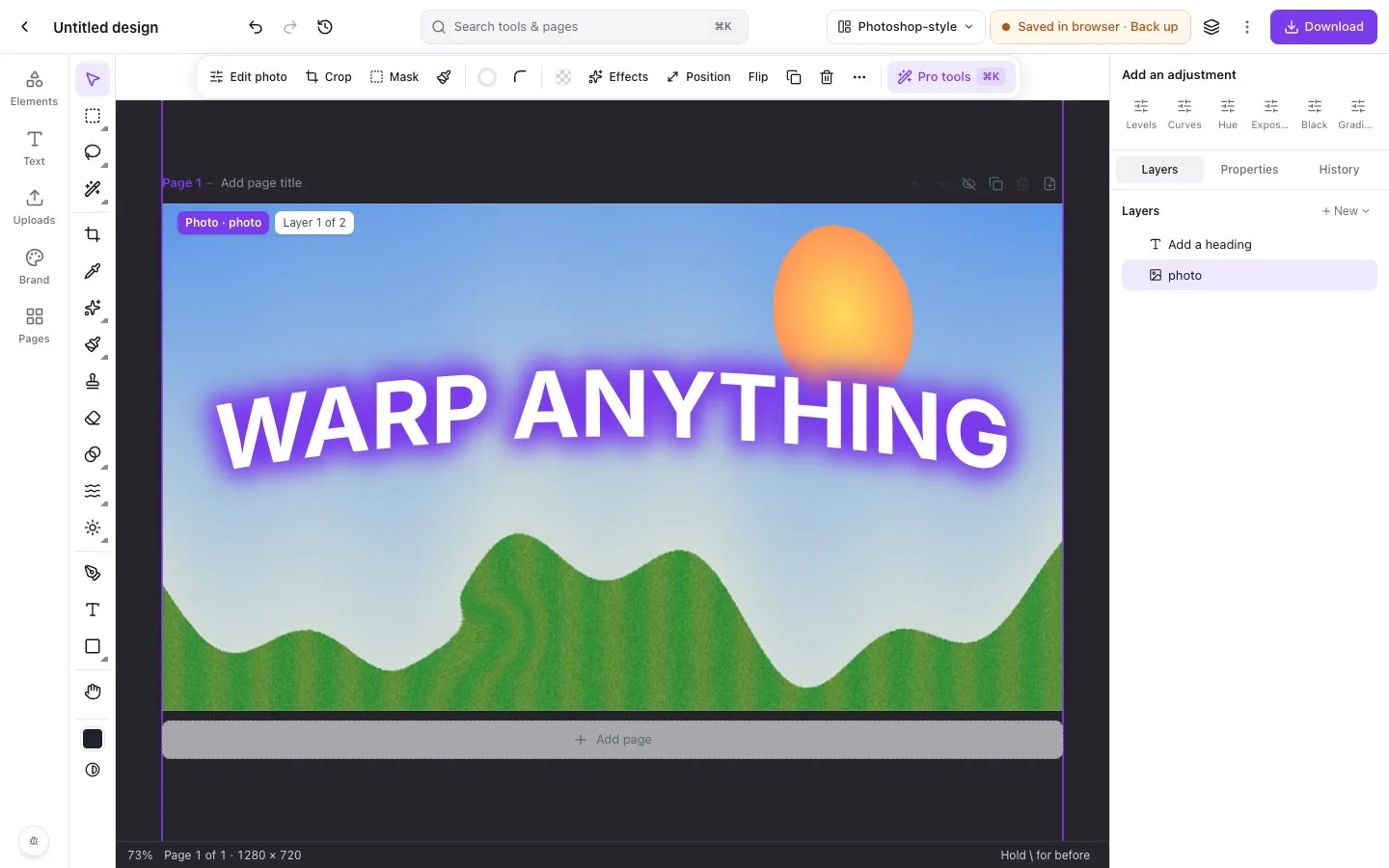
Layers are what separate a photo editor from a filter app. In Piclash, every photo, shape and line of text is a layer, and the tools you’d expect from a desktop editor work on them.
Layers and masks
- Layer masks hide part of a layer without deleting it. Paint with black and white, or make one from a selection.
- Clipping: clip a photo into text or a shape.
- Adjustment layers (curves, levels, HSL and more) affect everything below them.
- Blend modes control how layers mix, with the complete Photoshop set.
- Layer styles: stroke, drop and inner shadow, outer and inner glow, bevel and emboss, colour and gradient overlays.
- Groups, opacity, locking and hiding.
Selections
Marquee, lasso, polygonal lasso, magic wand, select subject, colour range, refine edge and quick mask. Pixel selections show marching ants, and anything outside them is dimmed, so you always know what you’ll affect.
Two layouts
Use the default Canva-simple layout, or switch to the Photoshop-style workspace with a tool column, options bar and Layers dock.
Questions
Which blend modes are there?
The full Photoshop set, including multiply, screen, overlay, soft and hard light, color dodge and burn, linear dodge and burn, difference, exclusion, hue, saturation, color and luminosity.
Can I paint on a layer?
Yes. Add a paint layer and use the brush, eraser, gradient and paint bucket. Brush strokes on a photo are kept separately from the original, so they can be erased later.
How large can my photos be?
Large photos work. Piclash decodes and draws them on your graphics card, and big designs with many photos stay responsive.
Try it on your own design
Free, nothing to install, and your work stays on your device.
Related
- Prefer Photoshop's layout? Switch to it.Tool column, options bar, Layers dock and Photoshop's keyboard shortcuts, one click away.
- Curves, levels and HSL online, freeTone curves, levels with a histogram, HSL, LUT looks and adjustment layers.
- A Photopea alternative, with no ads and Canva-style designBrowser-based like Photopea, with no ads, a modern layout, multi-page design and Canva import.
- A free Photoshop alternative in your browserLayers, masks, healing, curves, liquify and puppet warp, with Photoshop's layout and shortcuts.