 Piclash
Can you liquify a photo in Canva?
Canva's editor has no built-in liquify tool. Here's what Canva's apps can do, and how to liquify a Canva design's photos free, with push, twirl, pinch and freeze.
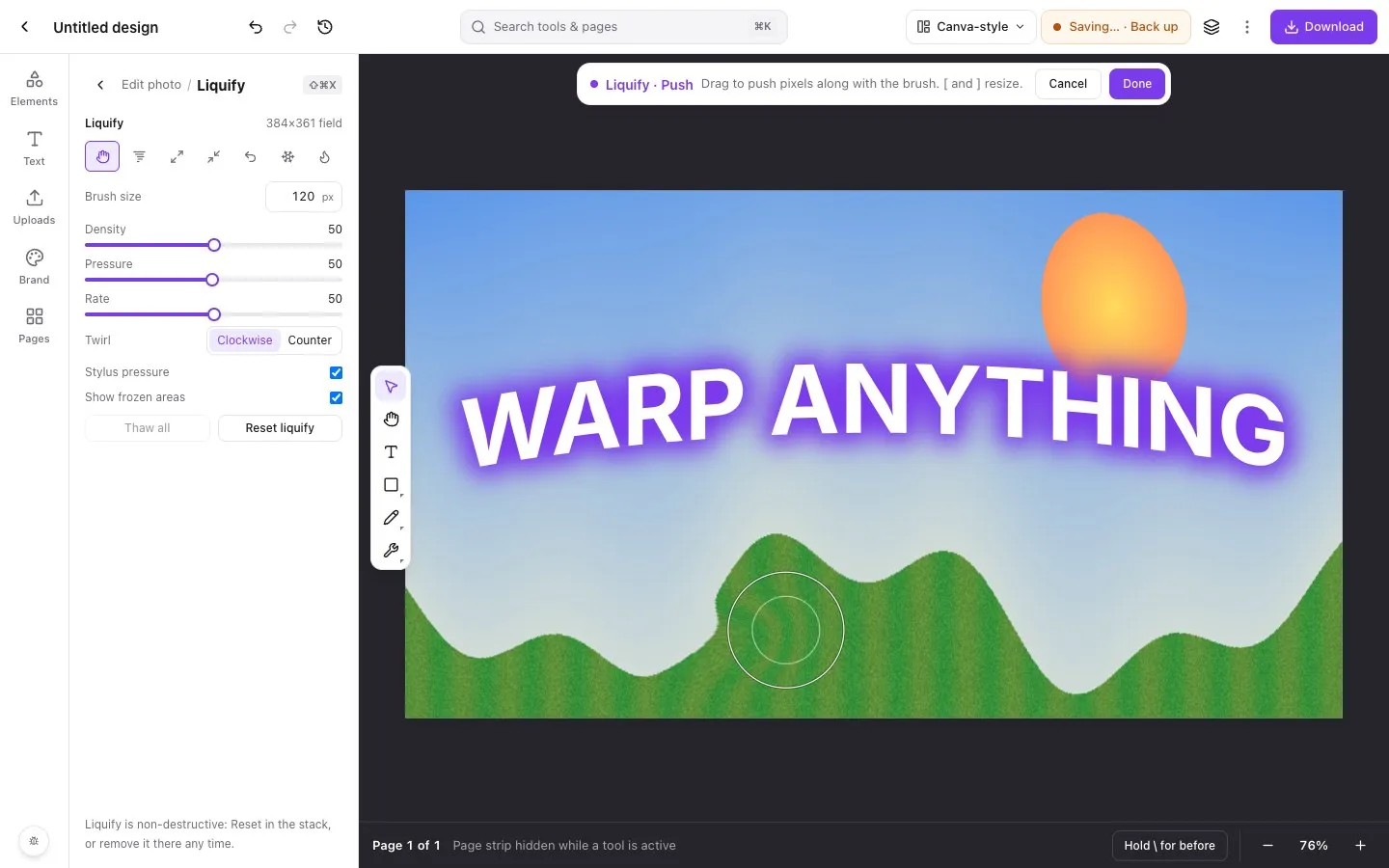
Step by step in Piclash
- 1Bring the photo or design into PiclashImport the Canva design with the free importer, or drop the photo straight onto a new design.
- 2Open LiquifySelect the photo and choose Pro tools → Liquify (Shift+Cmd+X or Shift+Ctrl+X).
- 3Freeze what must not movePaint Freeze over areas to protect, such as a face, a logo or straight edges.
- 4Reshape with the brushesUse Push to move pixels, Twirl, Pinch and Bloat for effects, and Reconstruct to paint the original back. Click Done.
Liquify is the brush-based reshaping tool popularised by Photoshop: drag over a photo and the pixels flow with your brush. It’s used for subtle fixes, like straightening a bent edge or smoothing a silhouette, and for playful distortions.
In Canva
Canva’s photo editing covers adjustments, filters and effects, but there’s no liquify in the core editor. In the Apps panel you’ll find add-ons from other developers that apply liquify-style or warp-brush effects. They’re worth a look for a quick effect. They usually don’t offer freeze masks, reconstruct, or a way to come back and change the result.
In Piclash, with your Canva design
Piclash’s liquify works like the desktop original:
- Push, Twirl, Pinch, Bloat to reshape.
- Reconstruct to brush the original back.
- Freeze and Thaw to protect areas.
- Density, Pressure and Rate, plus stylus pressure.
Your design comes across from Canva with its layers through the importer, so you liquify one photo and leave everything else untouched. Download the result, or keep editing alongside mesh and puppet warps.
Questions
Is there a liquify tool in Canva?
Not in the core editor, as of October 2026. Canva's Apps panel lists a liquify app and a warp brush from other developers, which apply distortion effects to an image.
Can I liquify a photo without losing quality?
In Piclash the liquify is stored as an editable distortion over the original photo, so you can reset or change it later without the image degrading.
Do I need a tablet?
A mouse works fine. With a pen tablet, turn on Stylus pressure for strokes that respond to how hard you press.
Try it on your own design
Free, nothing to install, and your work stays on your device.
Related
- Liquify a photo online, freePush, twirl, pinch and bloat pixels with a brush, and freeze the parts you want to keep.
- How to warp an image in CanvaWhat Canva can do with apps, and how to get a real mesh, envelope or puppet warp on a Canva design.
- Puppet warp online, freePin points on an image, then drag to bend arms, tails, banners and text naturally.
- Bring your Canva designs into Piclash, still editablePages, text, shapes and your photos come across as editable layers, not a flat picture.